Home / News & Insights / ERP selection checklist
ERP Selection Checklist for Australian Businesses in 2026
Published 30 October 2026 · Dynamic Aspect
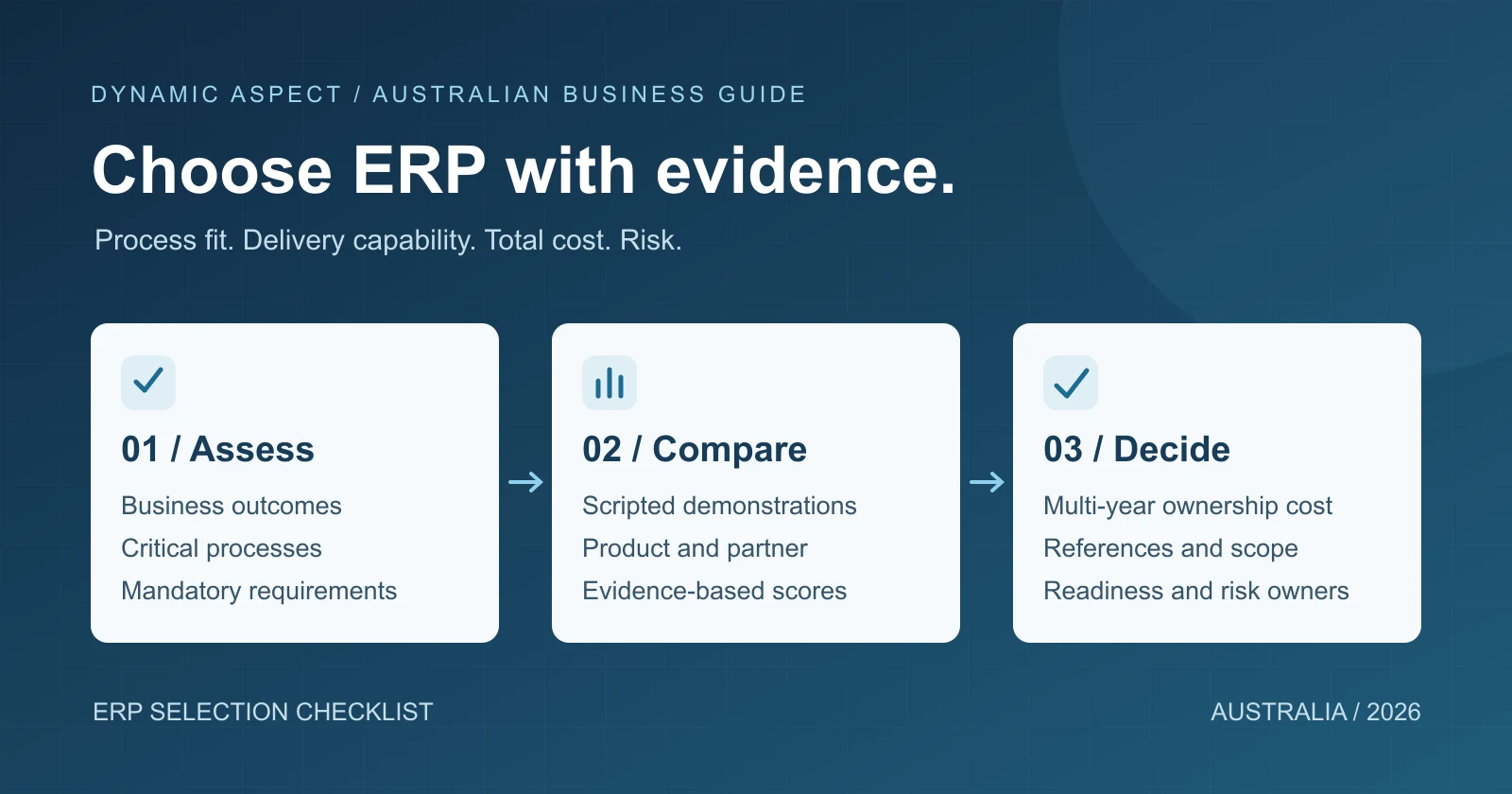
Choosing an ERP system is not a product popularity contest. The right choice is the solution and delivery model that can support the organisation's priority processes, controls, data, integrations and growth at an acceptable level of cost and risk.
This ERP selection checklist helps Australian businesses move from a long list of features to a defensible decision. It covers the work before a request for proposal, the evidence to collect during demonstrations and the checks to complete before signing a contract.
The short answer: how should a business select an ERP?
Use a staged process:
- Define measurable business outcomes.
- Map critical processes and exceptions.
- Agree mandatory requirements and constraints.
- Assess data, integrations, security and deployment needs.
- Shortlist a small number of credible solutions and delivery partners.
- Run scripted demonstrations using the same scenarios.
- Score product fit, delivery capability, total cost and risk separately.
- Validate references, assumptions, contracts and implementation readiness.
Do not start with hundreds of unprioritised feature questions. A long checklist can create the appearance of rigour while hiding the few capabilities that determine whether the project succeeds.
1. Define the business outcomes first
An ERP programme should solve named operational problems. Ask the sponsor and process owners what should be measurably different after implementation.
Possible outcomes include:
- reducing the time required to close the month;
- improving stock availability and inventory accuracy;
- replacing spreadsheet-based approvals;
- creating a consistent process across companies or locations;
- reducing duplicate entry between sales, operations and finance;
- improving traceability from transaction to financial result;
- supporting new products, entities, warehouses or markets;
- retiring an unsupported or heavily customised legacy platform.
For each outcome, record the baseline, target, owner and measurement date. "Create one source of truth" is useful direction, but it needs a practical definition: which records, who owns them and which system is authoritative?
2. Build the ERP selection team
ERP selection affects more than IT and finance. Include representatives who understand the process and can make decisions.
A typical team may include:
- an executive sponsor;
- finance and commercial leadership;
- operations, supply chain, warehouse, manufacturing, projects or service owners as relevant;
- sales and customer-service representatives;
- IT, security, data and integration owners;
- a project or change lead;
- selected end users who understand daily exceptions.
Name a decision owner and define how disagreements will be resolved. Consensus is valuable, but a project can stall if every preference is treated as a mandatory requirement.
3. Map critical processes and exceptions
Document the future process at a useful level of detail. Focus on flows that cross teams or systems, such as:
- quote and order through fulfilment, invoice and payment;
- purchase request through receipt, supplier invoice and payment;
- demand, replenishment, inventory, warehouse and landed cost;
- job, project or service delivery through cost and revenue recognition;
- production planning, consumption, output and costing where applicable;
- month-end close, consolidation, tax and management reporting;
- returns, credits, cancellations, corrections and approval exceptions.
A demonstration should include difficult cases, not only a clean standard transaction. If special pricing, split deliveries, item substitutions or retrospective corrections are common, include them in the selection script.
4. Prioritise ERP requirements
Classify requirements before vendors respond.
| Priority | Meaning | Selection treatment |
|---|---|---|
| Mandatory | The business cannot operate or comply without it | Must be demonstrated or supported by credible evidence |
| High value | Material contribution to an agreed outcome | Weighted strongly in scoring |
| Useful | Improves convenience or efficiency | Consider after mandatory fit and risk |
| Future | May be required in a later phase | Confirm roadmap and architectural fit without inflating phase one |
| Out of scope | Not part of this decision | Exclude from scoring and pricing assumptions |
For each mandatory requirement, add an acceptance test. "Supports inventory" is too broad. "Prevents shipment when a lot-controlled item lacks the required traceability data" is testable.
5. Check Australian business requirements
Local requirements depend on the organisation, industry and transaction model. Confirm them directly rather than relying on a generic "Australian localisation" statement.
Review areas such as:
- GST treatment, tax invoices and BAS-related reporting needs;
- Australian banking and payment file requirements;
- financial year, statutory and audit reporting;
- payroll and Single Touch Payroll dependencies, noting that payroll may be a separate application or extension;
- privacy, record retention and access controls;
- data handling across overseas service providers or locations;
- industry-specific traceability, safety, quality or contract obligations;
- multi-currency and international operations where required.
Ask the provider to show exactly which requirement is standard, configured, supplied by an extension, handled by an integration or left outside the ERP.
6. Assess data and reporting fit
ERP selection is also a data-design decision. Check that:
- master-data ownership is defined for customers, suppliers, items, accounts and dimensions;
- reporting dimensions and management structures are understood;
- historical data requirements are separated from operational migration needs;
- data volumes and quality issues have been profiled;
- standard reporting, self-service analysis and external BI needs are distinguished;
- reconciliation and audit trails can be demonstrated;
- data export and exit requirements are understood.
Request a demonstration using a small sample of realistic structures. A generic chart or dashboard does not prove that the proposed data model can answer the organisation's actual questions.
7. Map every integration
Create an integration register before pricing. Include APIs, file transfers, manual imports and scheduled jobs.
For each interface, record:
- source and destination;
- business and technical owner;
- data direction, frequency and volume;
- authentication and sensitive information;
- expected timing and service dependency;
- validation, duplicate handling and reconciliation;
- monitoring, alerting and reprocessing;
- replacement, retention or retirement decision.
Ask whether an integration is standard, prebuilt, configurable or custom. A connector name alone does not describe which objects, fields and scenarios it supports.
8. Compare cloud and on-premises constraints
Deployment affects upgrades, control, internal skills, security responsibilities, connectivity and cost. Do not choose from the labels alone.
Consider:
- required update control and release cadence;
- internet and site-resilience requirements;
- data location, privacy and contractual obligations;
- infrastructure and database administration capability;
- integration latency and local equipment dependencies;
- customisation model and upgradeability;
- backup, disaster recovery and business continuity;
- subscription, infrastructure and operational costs over time.
For a fuller deployment comparison, see our cloud ERP vs on-premises ERP guide.
9. Evaluate security and privacy responsibility
Cloud services do not transfer all security responsibility to the provider. The Australian Signals Directorate's cloud guidance explains the shared-responsibility arrangement. The customer still needs to manage areas such as identity, access, configuration, data, devices and operational use according to the service model.
Ask for evidence covering:
- identity integration and multi-factor authentication;
- role design and segregation of duties;
- privileged access and audit logging;
- encryption and key responsibilities;
- backup, recovery objectives and resilience;
- vulnerability, incident and notification processes;
- third-party subprocessors and data locations;
- data export, retention and secure deletion;
- the organisation's own responsibilities after go-live.
If personal information may be disclosed overseas, review the OAIC guidance on sending personal information overseas and obtain appropriate legal or privacy advice for the specific arrangement.
10. Run comparable ERP demonstrations
Give shortlisted vendors the same scenario, data assumptions and time. A useful demonstration has four parts:
- Briefly confirm the proposed architecture and scope.
- Perform the agreed end-to-end scenarios live.
- Show how exceptions, approvals, corrections and audit evidence work.
- Identify every step that requires configuration, extension, integration or manual handling.
Record unanswered questions and request written clarification. Avoid allowing most of the session to become a presentation about features outside the selection criteria.
11. Score the product and partner separately
A capable product can still be delivered poorly, and a strong delivery team cannot make a fundamentally unsuitable product fit.
| Category | Example weight | Evidence |
|---|---|---|
| Critical process fit | 25% | Scripted demonstration and gap register |
| Data, reporting and audit | 15% | Sample model, reports and reconciliation |
| Integration and architecture | 15% | Architecture, interface design and operations model |
| Security, privacy and resilience | 10% | Controls, responsibilities and assurance evidence |
| Delivery capability and team | 15% | Named roles, method, references and availability |
| Adoption and support | 10% | Training, change, hypercare and support model |
| Total cost and commercial terms | 10% | Comparable multi-year TCO and assumptions |
Adjust weights before proposals are opened. This reduces the risk of changing criteria to favour a preferred demonstration.
When evaluating the delivery partner, check relevant process and industry experience, the proposed team, governance, data and integration capability, reference projects, support coverage and willingness to document assumptions and risks.
12. Compare total cost of ownership
Model at least the implementation period plus several years of operation. Include:
- subscriptions or software licences;
- implementation and project management;
- data migration and archive;
- integrations, extensions and third-party apps;
- testing, training and change management;
- internal project time and temporary backfill;
- infrastructure or cloud consumption where applicable;
- support, release management and optimisation;
- contingency linked to identified risks;
- exit, data-export and transition obligations.
Keep costs, benefits and retired legacy costs in separate lines. This makes assumptions visible and avoids presenting uncertain savings as guaranteed funding.
13. Validate the contract and implementation plan
Before signing, confirm:
- the statement of work matches the selected solution and demonstration commitments;
- deliverables, acceptance criteria, assumptions and exclusions are explicit;
- licences, apps and recurring costs are itemised;
- the named delivery roles and client responsibilities are realistic;
- data, integration and reporting scope is complete;
- change control and rate cards are understood;
- security, privacy, service levels and incident obligations are reviewed;
- intellectual property, extension maintenance and source-code access are clear;
- data ownership, export, termination and transition assistance are addressed;
- the first 90 days of discovery and design have achievable decisions and resources.
Final ERP selection checklist
- Measurable outcomes and decision criteria are approved.
- Critical processes and exceptions are documented.
- Mandatory requirements have acceptance tests.
- Australian tax, privacy, banking and industry needs are confirmed.
- Data, reporting and history requirements are understood.
- Integrations are inventoried and priced.
- Deployment, security and shared responsibilities are accepted.
- Shortlisted solutions completed the same scripted demonstration.
- Product fit and partner capability were scored separately.
- References were checked against comparable scope.
- Multi-year TCO uses consistent assumptions.
- Contract scope matches the selected design.
- Internal project capacity and implementation readiness are credible.
- Risks and unresolved gaps have accountable owners.
Frequently asked questions
How many ERP systems should be shortlisted?
A small shortlist is usually easier to evaluate rigorously than a large field. Include only products that pass mandatory constraints, then use the same scenarios and scoring model for each finalist.
Should we choose the ERP product or implementation partner first?
Evaluate both together while scoring them separately. Product architecture and capability determine fit; the partner's team, method and support model affect whether that fit can be delivered.
What is the most important ERP selection criterion?
There is no single criterion for every organisation. Critical process fit, data and integration architecture, delivery capability, security, adoption, total cost and risk should all be assessed against agreed business outcomes.
Do we need a detailed request for proposal?
Use enough detail to make proposals comparable, but avoid hundreds of generic questions. Prioritised requirements, scripted scenarios, data and integration scope, commercial assumptions and acceptance criteria are more useful than a feature inventory alone.
How should an Australian business check local compliance?
Document the specific tax, payroll, privacy, banking, reporting and industry obligations that apply, then require the provider to show how each is met. Obtain legal, tax or privacy advice where the requirement needs specialist interpretation.
When is Microsoft Dynamics 365 Business Central worth shortlisting?
Business Central may be relevant for organisations seeking a Microsoft ERP across finance and operations. Assess it against the same process, data, integration, security and TCO criteria as every other option. See the Dynamics 365 Business Central overview for product context.
Next step
Turn the checklist into a two-page selection brief before contacting vendors. For help understanding available ERP systems for Australian businesses and structuring a requirements workshop, contact Dynamic Aspect.