Home / News & Insights / Cloud ERP vs on-premises ERP
Cloud ERP vs On-Premises ERP: What Australian Businesses Should Compare
Published 8 October 2026 · Dynamic Aspect
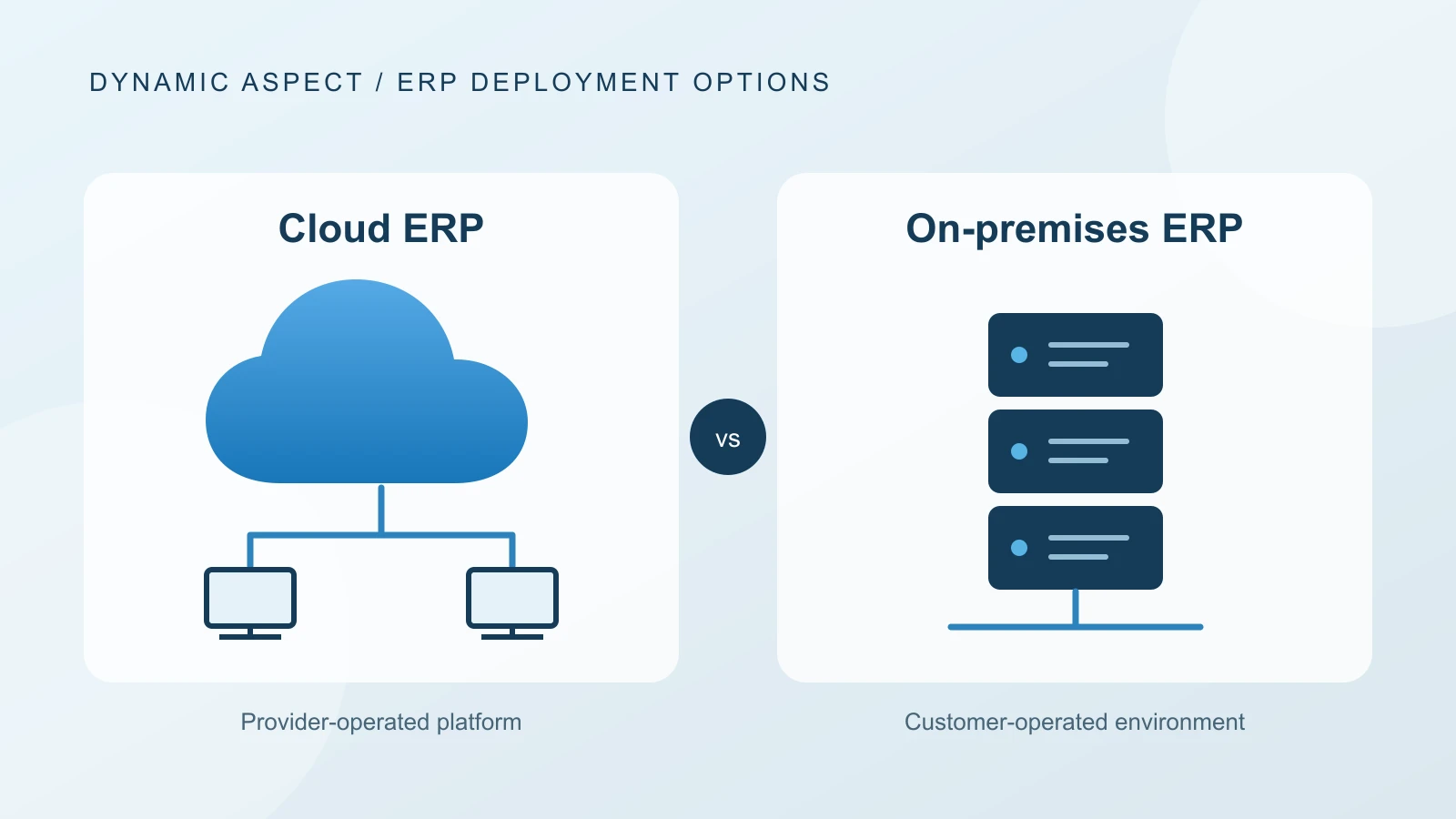
Cloud ERP and on-premises ERP differ in who operates the application platform, how updates are delivered, how costs are structured and where control responsibilities sit. Neither model is automatically cheaper, safer or more flexible for every organisation.
Australian businesses should compare the deployment models against process criticality, connectivity, security obligations, data handling, integration architecture, internal skills and total cost of ownership. This guide provides a neutral framework for that decision.
What is cloud ERP?
Cloud ERP usually refers to software delivered as a service. The vendor or cloud service provider operates much of the application platform and infrastructure, while the customer subscribes to the service, configures business processes, manages users and controls how the system is used.
Responsibilities vary by service. The customer generally remains responsible for its identities, permissions, data quality, devices, integrations, configuration and internal controls even when the provider runs the underlying infrastructure.
What is on-premises ERP?
On-premises ERP is installed on infrastructure controlled by the customer or a contracted hosting provider. The organisation has greater direct responsibility for servers, databases, operating systems, application maintenance, backups, recovery, security and upgrades.
The phrase is also commonly searched as "on-premise ERP", although "on-premises" is the conventional term for software deployed on the organisation's premises or controlled environment.
Cloud ERP vs on-premises ERP at a glance
Commercial model
- Cloud ERP: Usually recurring subscription plus implementation and optional consumption
- On-premises ERP: Usually software rights or maintenance plus infrastructure, implementation and operations
Infrastructure
- Cloud ERP: Primarily operated by the service provider
- On-premises ERP: Operated by the organisation or its hosting provider
Updates
- Cloud ERP: Delivered on a vendor-controlled cadence with customer testing responsibilities
- On-premises ERP: Scheduled and executed under greater customer control
Customisation
- Cloud ERP: Often configuration, APIs and supported extension models
- On-premises ERP: May allow deeper code or database changes, with greater maintenance risk
Access
- Cloud ERP: Designed for secure internet access across locations
- On-premises ERP: Access depends on the organisation's network and remote-access design
Security
- Cloud ERP: Shared responsibility with provider controls and customer configuration
- On-premises ERP: Greater direct responsibility for the full technology stack
Scalability
- Cloud ERP: Capacity can often be changed without purchasing physical infrastructure
- On-premises ERP: Capacity changes may require procurement and infrastructure work
Cost profile
- Cloud ERP: More operating expenditure and recurring fees
- On-premises ERP: More infrastructure and operational ownership; cost can be capital and operating expenditure
Disaster recovery
- Cloud ERP: Provider capabilities form part of the service, but customer continuity planning remains necessary
- On-premises ERP: Organisation designs, funds, tests and operates recovery arrangements
Exit
- Cloud ERP: Requires a data export and transition plan from the service
- On-premises ERP: Requires migration from the owned environment and any legacy customisations
This comparison describes common patterns, not contractual guarantees. Review the exact product, service description, support plan and architecture.
1. Compare total cost, not the hosting line
Cloud ERP can reduce the need to own and administer application infrastructure, but it adds recurring subscriptions and may include storage, API, environment, app or consumption charges. On-premises ERP may avoid some subscription charges but requires infrastructure, database administration, monitoring, security, backup, recovery and upgrade effort.
Build a multi-year model covering:
- software subscriptions, licences and maintenance;
- implementation and data migration;
- infrastructure, hosting and network services;
- security, monitoring, backup and disaster recovery;
- internal technical and application administration;
- integrations, extensions and third-party applications;
- testing, training and change management;
- support, updates and planned optimisation;
- growth in users, transactions, companies and storage;
- exit and data-transition requirements.
Do not count existing internal infrastructure as free. Include refresh, support, power, facilities, specialist skills and opportunity cost where they are material.
2. Understand the security responsibility model
The Australian Signals Directorate states that cloud computing uses a shared-responsibility model. The provider and customer are responsible for different controls depending on the service.
A cloud ERP provider may secure physical facilities, platform infrastructure and elements of the application service. The customer still needs to manage user lifecycle, authentication, roles, segregation of duties, data classification, devices, connected applications, configuration and incident procedures.
With on-premises ERP, the organisation or its contractors usually carry more responsibility across the operating system, database, network, application and recovery stack. This can provide control, but only when the skills, processes, monitoring and investment exist to exercise it.
Ask both cloud and on-premises providers for a control-responsibility matrix. Security should be assessed from evidence rather than the location of the server.
3. Review data location and Australian privacy obligations
Data residency and privacy are related but not identical. Knowing where data is stored does not by itself answer who can access it, where support personnel operate, which subprocessors are involved or how information moves through backups and integrations.
For cloud ERP, review:
- primary and backup data locations;
- cross-border support and subprocessors;
- contractual data-processing terms;
- encryption and access controls;
- incident notification and audit evidence;
- export, retention and secure-deletion procedures.
The Office of the Australian Information Commissioner provides guidance on Australian Privacy Principle 8 and the handling of personal information sent overseas. The correct assessment depends on the organisation and arrangement, so obtain privacy or legal advice where needed.
On-premises deployment can provide direct location control, but personal information can still leave the environment through remote support, integrations, backups, email and connected analytics services.
4. Compare update control and application currency
Cloud ERP vendors generally deliver updates on a defined cadence. This can keep the platform current and reduce large, infrequent upgrade projects. The customer still needs release awareness, extension compatibility checks, regression testing and user communication.
On-premises ERP provides greater control over when an upgrade occurs. That can help coordinate change around critical periods, but it can also allow upgrades to be postponed until the system becomes expensive or unsupported.
Ask:
- how often updates occur and how much notice is provided;
- which sandbox or preview environments are available;
- what the customer must test;
- how extensions and integrations are validated;
- whether updates can be deferred and for how long;
- what happens when a supported version is not maintained.
5. Examine customisation and upgradeability
On-premises systems may permit deep changes to application code or the database. This can support a specialised requirement, but it can also create dependence on individual developers and make upgrades more difficult.
Modern cloud ERP products tend to favour configuration, workflow, APIs and isolated extensions. This places boundaries around customisation but can improve upgradeability when the extension model is followed correctly.
For each proposed customisation, ask:
- What business or regulatory requirement does it meet?
- Can standard configuration, process change or a supported app meet the need?
- How will it be tested with every update?
- Who owns and supports it?
- How can the organisation exit or replace it later?
6. Test connectivity and operational resilience
Cloud ERP depends on reliable connectivity between users, locations, devices and the service. For offices or sites with limited connections, test latency and plan secondary links or offline procedures for critical operations.
On-premises ERP can continue serving a local network during some external internet outages, but remote locations and cloud-connected services may still depend on telecommunications. A local server outage can also affect every user if recovery arrangements are weak.
Assess business continuity end to end:
- critical transactions and maximum acceptable interruption;
- primary and backup connectivity;
- identity-service dependency;
- local printing, scanning, warehouse and production equipment;
- integrations and batch schedules;
- recovery time and recovery point objectives;
- provider service commitments and exclusions;
- manual procedures and reconciliation after recovery;
- frequency and evidence of recovery testing.
7. Consider integrations and local systems
A cloud ERP can integrate with cloud and on-premises applications through APIs, middleware, gateways or managed connectors. On-premises ERP can integrate locally but may require secure exposure or additional services when connecting to external platforms.
The decisive questions are architectural:
- Where is the source of truth?
- What volume and latency are required?
- What happens when either side is unavailable?
- How are duplicate and partial transactions handled?
- Who monitors the interface?
- Which identity and network boundaries are crossed?
- How will the interface survive product updates?
Inventory operational technology and local devices early. Warehouse scanners, scales, label printers, production machines and legacy databases can influence the deployment design.
8. Compare internal capability and operating model
Cloud ERP shifts some platform operations to the provider, but the organisation still needs application ownership, process governance, data management, security administration, integration support, testing and user support.
On-premises ERP additionally requires skills across infrastructure, database, operating system, backup, monitoring and application maintenance, whether internal or outsourced.
Ask who will perform each task after go-live, what service level applies and what happens when the key person is unavailable.
When cloud ERP may be the stronger fit
Cloud ERP may be attractive when an organisation:
- prefers a subscription service over operating ERP infrastructure;
- needs secure access across multiple locations;
- wants a regular product-update model;
- can use supported configuration and extension patterns;
- has reliable connectivity and workable continuity arrangements;
- accepts the vendor's service, data and release model;
- wants to scale users or entities without procuring application servers.
These are indicators, not proof. Product fit, contract terms and implementation quality still matter.
When on-premises ERP may remain appropriate
On-premises ERP may remain relevant when an organisation:
- has a specific technical, regulatory or operational requirement for direct platform control;
- depends on local systems where latency or disconnected operation is critical;
- has the skills and investment to operate the full environment securely;
- requires an update schedule that the available cloud service cannot meet;
- has a validated long-term plan for product support and upgrades.
"We already own the server" is not enough. The decision should include support lifecycle, recovery, security and future-change costs.
What about hybrid ERP?
A hybrid architecture may combine cloud ERP with local applications, data services or equipment. It can also describe a phased transition where some companies or processes move before others.
Hybrid can be practical, but it adds integration, identity, reconciliation and support boundaries. Document which system owns each record and process, how failures are handled and when temporary components will be retired.
Cloud ERP vs on-premises decision checklist
- Critical processes and outage tolerances are defined.
- Five-year costs use consistent scope and growth assumptions.
- Security responsibilities are mapped by control owner.
- Data location, privacy, support access and subprocessors are reviewed.
- Connectivity and secondary-link options are tested.
- Update cadence and regression-testing obligations are accepted.
- Customisations follow a supportable and upgradeable model.
- Integrations and local-device dependencies are proven.
- Backup, recovery and business continuity are tested end to end.
- Internal and provider operating responsibilities are funded.
- Data export, exit and transition terms are understood.
- The decision is based on evidence for the specific product and service.
Frequently asked questions
Is cloud ERP cheaper than on-premises ERP?
Not always. Cloud ERP can reduce infrastructure and platform-administration work, but subscriptions, apps and consumption recur. Compare implementation, internal labour, infrastructure, security, support, upgrades, growth and exit over the same period.
Is cloud ERP more secure?
It can provide strong provider-operated controls, but security is shared. The customer still manages identities, permissions, data, devices, configuration, integrations and internal procedures. Assess evidence and responsibilities rather than assuming a deployment model is secure by default.
Does Australian data have to stay in Australia?
Requirements depend on the type of information, industry, contracts and applicable law. Data location alone does not resolve privacy obligations. Review the service arrangement and obtain specialist advice where required.
Can cloud ERP work with warehouse or manufacturing equipment?
Often yes, using APIs, gateways, middleware or supported connectors. Validate latency, offline behaviour, device compatibility, security, monitoring and recovery for the actual equipment and workflow.
Can an on-premises ERP still use cloud services?
Yes. Many organisations use hybrid architectures that connect an on-premises ERP to cloud analytics, ecommerce, CRM, banking or other services. The additional boundaries need clear ownership and monitoring.
How should we make the final decision?
Score the specific products against process fit, architecture, security, privacy, connectivity, update control, operational capability, resilience, total cost and exit requirements. Run a proof of concept for high-risk assumptions.
Next step
Create a deployment decision record that lists assumptions, evidence, risks and control owners. To compare deployment models in the context of your process requirements, see ERP systems for Australian businesses or contact Dynamic Aspect.
Sources and further reading